Consumer vs Professional Simulation Controls: What’s the Real Difference?
Not all simulation hardware is created equal.
At first glance, many controllers may appear similar, offering buttons, switches, and basic functionality. But once you start using them, the difference between consumer-level and professional-grade simulation controls becomes immediately clear.
If realism, immersion, and long-term performance matter to you, understanding these differences is essential.
What Defines Consumer-Level Simulation Controls?
Consumer-level hardware is typically designed to be affordable and accessible. It provides basic functionality and is often a great starting point for new users.
However, this accessibility comes with trade-offs.
- Lightweight materials and plastic construction
- Limited tactile feedback from buttons and switches
- Generic layouts not tailored to real-world workflows
- Minimal customization options
- Shorter lifespan under heavy use
For casual users, this may be sufficient. But for those seeking realism, the limitations quickly become noticeable.
What Sets Professional-Grade Simulation Controls Apart?
Professional-grade simulation hardware is designed with realism, durability, and performance in mind.
Every component is built to replicate real-world interaction as closely as possible, transforming the simulator from a game into an experience.
1. Build Quality and Materials
Professional hardware is constructed using higher-quality components designed for long-term reliability.
Switches feel solid. Controls respond consistently. Nothing feels loose or disposable.
2. Authentic Tactile Feedback
In real vehicles and aircraft, every control has a distinct feel.
Professional-grade panels replicate this with firm switch engagement, defined detents, and clear physical feedback, allowing you to operate controls without hesitation or visual confirmation.
3. Purpose-Built Layouts
Unlike generic consumer devices, professional control panels are designed around real-world workflows.
Controls are placed logically, making them intuitive to use and easier to learn over time.
4. Enhanced Immersion
The goal of simulation is realism.
Professional hardware removes the disconnect between user and simulator, replacing abstract inputs with natural, physical interaction.
You’re no longer pressing keys. You’re operating systems.
5. Customization and Flexibility
Advanced users require flexibility.
Professional-grade controls offer customizable mappings, lighting, and configurations to match specific simulators and personal preferences.
Why the Difference Matters
The gap between consumer and professional hardware is not just about appearance. It directly impacts how you interact with your simulator.
- Faster and more accurate inputs
- Reduced errors during critical moments
- Improved workflow and efficiency
- Significantly greater immersion
Over time, these advantages compound into a noticeably better simulation experience.
Where SIM-PANEL Fits In
SIM-PANEL products are built to bridge the gap between accessibility and professional performance.
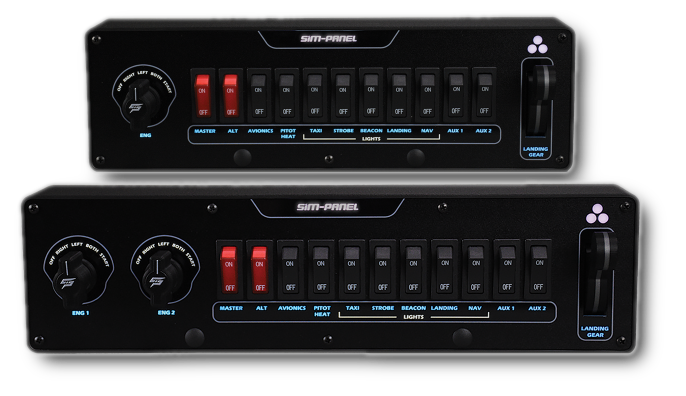
From the SIM-PANEL/R Racing Button Box to the AERO FlightMate™ and the Classic II and HT / HTE truck simulation panels, every product is designed with a focus on quality, innovation, and immersive control.
- Durable construction designed for long-term use
- Realistic switch behavior and tactile feedback
- Layouts tailored to specific simulation environments
- Customizable LED backlighting and control mapping
The result is hardware that delivers professional-level performance without unnecessary complexity.
Choosing the Right Level for You
If you're just getting started, consumer-level hardware can be a good entry point.
But if you’re looking to elevate your experience, improve realism, and gain better control over your simulator, upgrading to professional-grade simulation controls is a natural next step.
From Playing to Operating
The difference between consumer and professional hardware comes down to one thing: how real the experience feels.
When your controls match the realism of the simulator itself, everything changes.
You stop playing.
You start operating.
Command your simulation.