 KNOWLEDGEBASE
Your SIM-PANEL T1 SKRS Shifter Knob has arrived and you're ready to put it to work. To get started, you'll first need to replace your existing shifter knob with your new T1 SKRS Shifter Knob. To do so...
Thrustmaster TH8A Shifter
Other Shifters
ATTACHING YOUR SIM-PANEL T1 SKRS SHIFTER KNOB
Logitech G Driving Force ShifterThrustmaster TH8A Shifter
Other Shifters
Logitech G Driving Force Shifter
(Scroll down for Thrustmaster TH8A Shifter attachment)- Remove the top cover/cap by carefully prying up from the edge.
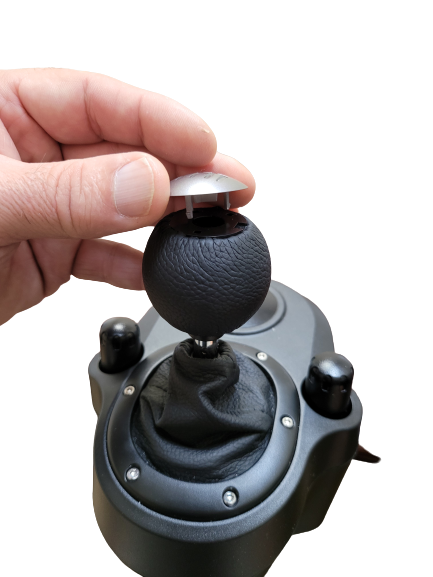
- Using a Phillips Head screwdriver, remove the attaching screw.
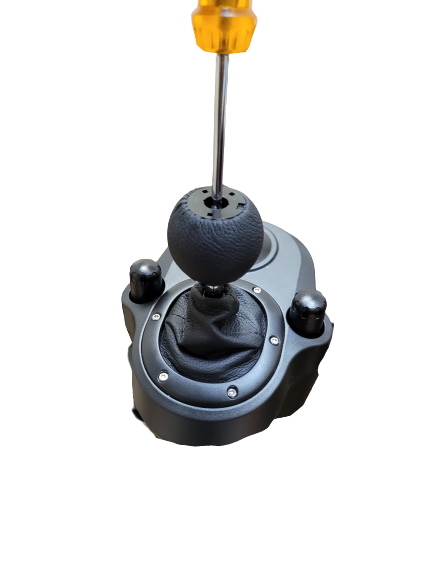
- Lift and remove the existing shifter knob.
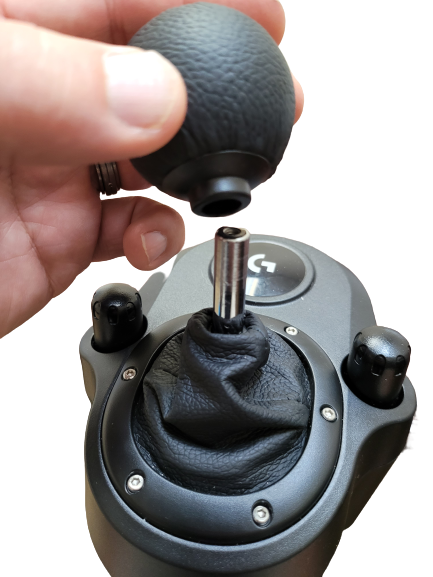
- Slide your new SIM-PANEL T1 SKRS Shifter Knob FULLY onto the shaft and secure by lightly tightening the Allen Head Set Screw using the supplied Allen Wrench. DO NOT OVERTIGHTEN!
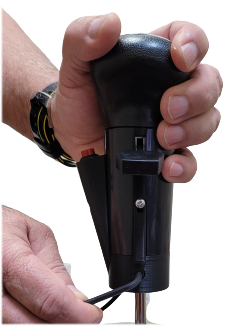
- Securely plug the USB connector into an available USB port on your computer (USB Hubs are NOT recommended) and Configure/Map your T1 SKRS Shifter Knob within ATS (American Trucking Simulator) and/or ETS2 (Euro Truck Simulator 2).
Thrustmaster TH8A Shifter
(Scroll up for Logitech G Driving Force Shifter attachment)- Unscrew the existing Shifter Knob by gripping the knob and twisting counterclockwise.
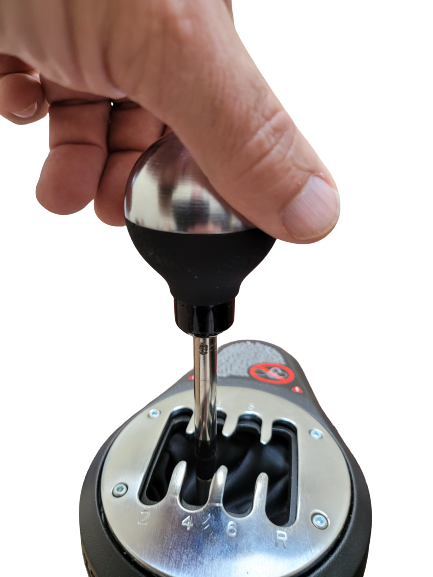
- Remove the existing knob.
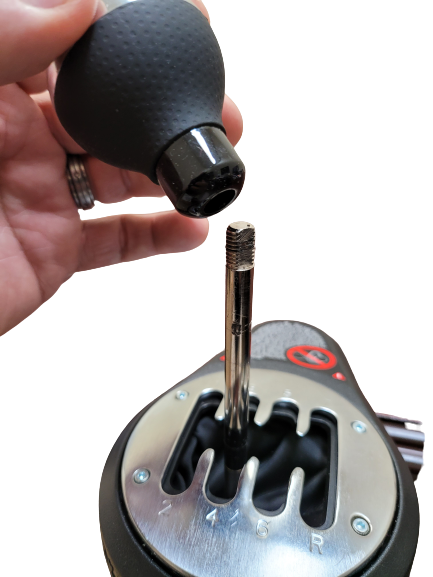
- Slide your new SIM-PANEL T1 SKRS Shifter Knob FULLY onto the shaft and secure by lightly tightening the Allen Head Set Screw using the supplied Allen Wrench. DO NOT OVERTIGHTEN!
- Securely plug the USB connector into an available USB port on your computer (USB Hubs are NOT recommended) and Configure/Map your T1 SKRS Shifter Knob within ATS (American Trucking Simulator) and/or ETS2 (Euro Truck Simulator 2).
Other Shifters
(Scroll up for Logitech G Driving Force Shifter and Thrustmaster TH8A Shifter attachment)- Ensure the shifter shaft diameter is 10mm or less.
- Remove the existing Shifter Knob (Please reference the documentation or help resources provided by the Shifter manufacture or provider).
- Slide your new SIM-PANEL T1 SKRS Shifter Knob FULLY onto the shaft and secure by lightly tightening the Allen Head Set Screw using the supplied Allen Wrench. DO NOT OVERTIGHTEN!
- Securely plug the USB connector into an available USB port on your computer (USB Hubs are NOT recommended) and Configure/Map your T1 SKRS Shifter Knob within ATS (American Trucking Simulator) and/or ETS2 (Euro Truck Simulator 2).